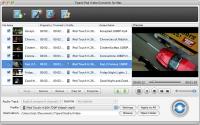
Tipard iPod Video Converter for Mac can convert almost all video formats to iPod, iPod touch, iPod touch 2, iPod touch 4, iPod nano 4, iPod classic, iPod shuffle, iPhone, iPhone 3G and iPhone 4 MP4, MOV and H.264(.mp4), video formats for Mac users.
Tipard iPod Video Converter for Mac can convert almost all video formats to iPod, iPod touch, iPod touch 2, iPod touch 4, iPod nano 4, iPod classic, iPod shuffle, iPhone, iPhone 3G and iPhone 4 MP4, MOV and H.264(.mp4), H.264/MPEG-4 AVC(.mp4) video formats for Mac users. This Mac iPod Video Converter also can convert popular audio files to iPod MP3, AAC, M4A, WAV, etc.
Plus, it has brand-new interface and latest system kernel, superior encoding and decoding performance, and supports 5.1 track and No Audio output, has optional Aspect Ratio Settings & Zoom modes, adjustable output file volume, and supports cue file and iPad 2 profile, and Auto-update function makes sure you always have the latest version.
Key functions:
1.Powerful Mac iPod Converter to convert video/audio on iPod
Convert MPG, MPEG, MPEG2, VOB, MP4, M4V, RM, HD MTS, HD M2TS, etc to iPod. Convert popular audio files to AAC, MP3, WAV, AIFF, M4A.
2.Video to audio conversion
Tipard iPod Video Converter for Mac can convert video to audio, or extract audio from video to AAC, MP3, WAV, AIFF, M4A audio by using Tipard iPod Video Converter for Mac.
3.Trim and merge
Tipard iPod Video Converter for Mac can help you trim video file and join several pieces together as a single one.
4.Merge several chapters of video into one file
With several files merged into one file for output, you'll enjoy a single long movie with a single click.
5.Output different formats by one time conversion
You can speed up your conversion work by this powerful Tipard iPod Video Converter for Mac, for it can output several files after converting one time.
6.Adjust output settings
Set the Video Encoder, Resolution, Frame Rate, Video Bitrate. Set the Audio Encoder, Sample Rate, Channels, Audio Bitrate. You also can save all the output settings as your preference.
7.Preview and snapshot
You are allowed to preview the input and output video effects to get a whole picture of the output video.
Whats new in version 3.6.10:
Auto-update function makes sure you always have the latest version.
Requirements:
512MB RAM, Super VGA(800*600) resolution, 16-bit graphics card or higher
Operating system:
Mac OS X,Mac Other,Other
Release notes:
Major Update

DVD Catalyst rips your DVD movies fast and easy to PSP iPod iPhone Zen Zune Cowon Nokia Motorola Blackberry Omnia HTC and more. Also converts video files, and supports Batch, Black bar removal, new free booster pack available on our website
Price: $24.95, Rating: 10, Downloads: 184
Download 
 Tipard iPod Video Converter for Mac 3.6.10 details